Black Friday: bundles at -40% and codes BF27 / CYBER30 (-30%) until 30 Nov
FR
Freelance Client & Invoice Tracker
● Notion templates

Freelance Client & Invoice Tracker

Notion Template

€19Notion template (duplication link)

Secure payment by Payhip: card or PayPal

  • Download after payment
  • No parcel
  • Payment on the platform you choose
Format
Notion template (duplication link)
Language
English
Age
Adults
Delivery
Digital file
Shelf
Notion templates

Description

Know exactly who owes you money, which projects are on budget, and how many hours you have logged, all in one Notion workspace.

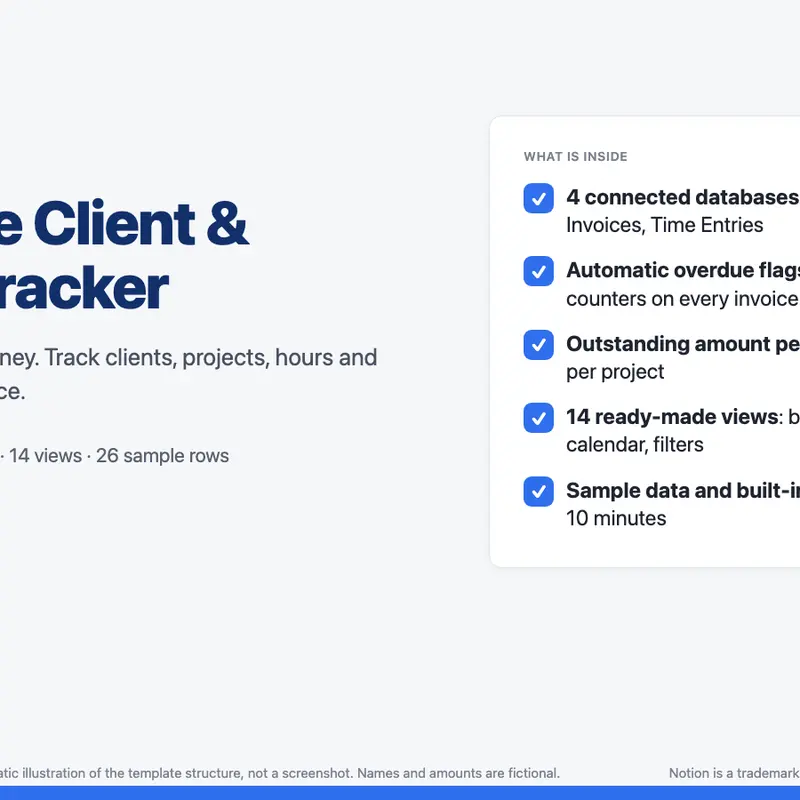
Freelance Client & Invoice Tracker is a ready-to-use Notion template for freelancers, consultants and small studios. Four connected databases (Clients, Projects, Invoices, Time Entries) work together, so totals, overdue flags and budgets update by themselves.

Who it’s for

What’s included

  • A Home dashboard: unpaid invoices, project board and client overview on one page
  • Invoices with automatic Total (tax included), Days Late and Payment Health (Paid, Open, Due soon, Overdue)
  • Clients with Total Invoiced and Outstanding amounts calculated for you
  • Projects with Hours Logged, Billed, Budget Left and a countdown to the deadline
  • Time Entries you can log in seconds, with a calendar view
  • 14 ready-made views: boards, timeline, calendar, overdue and paid filters
  • Realistic sample data and a built-in 10-minute guide on the Home page
  • Instant delivery, no subscription, lifetime access to your copy
  • Currency: US dollars by default; change the number format to any currency
  • Independent template, not affiliated with Notion. Not accounting or tax software.
  • Questions? Write to the support email in your delivery PDF: answer within 2 business days.

How to use it

How to use:

After purchase you receive a PDF with a link. Open it, click Duplicate, and the whole workspace is copied into your own Notion account. Works on a free Notion plan.

Look before you buy

Page previews

Frequently asked questions

What exactly do I get?

A digital file (notion template (duplication link)). Nothing physical is shipped.

How do I open and use the file?

After purchase you receive a PDF with a link: open it, click Duplicate, and the workspace is copied into your own Notion account (the free plan is enough).

Can I print it more than once?

Yes, for your own personal and family use. Reselling, sharing the file and commercial reproduction are not allowed.

Where does the payment happen?

On Payhip, which takes the payment and delivers the file. This shop never receives or stores your payment details.

Notion templates

More from this shelf

€19Buy on Payhip